
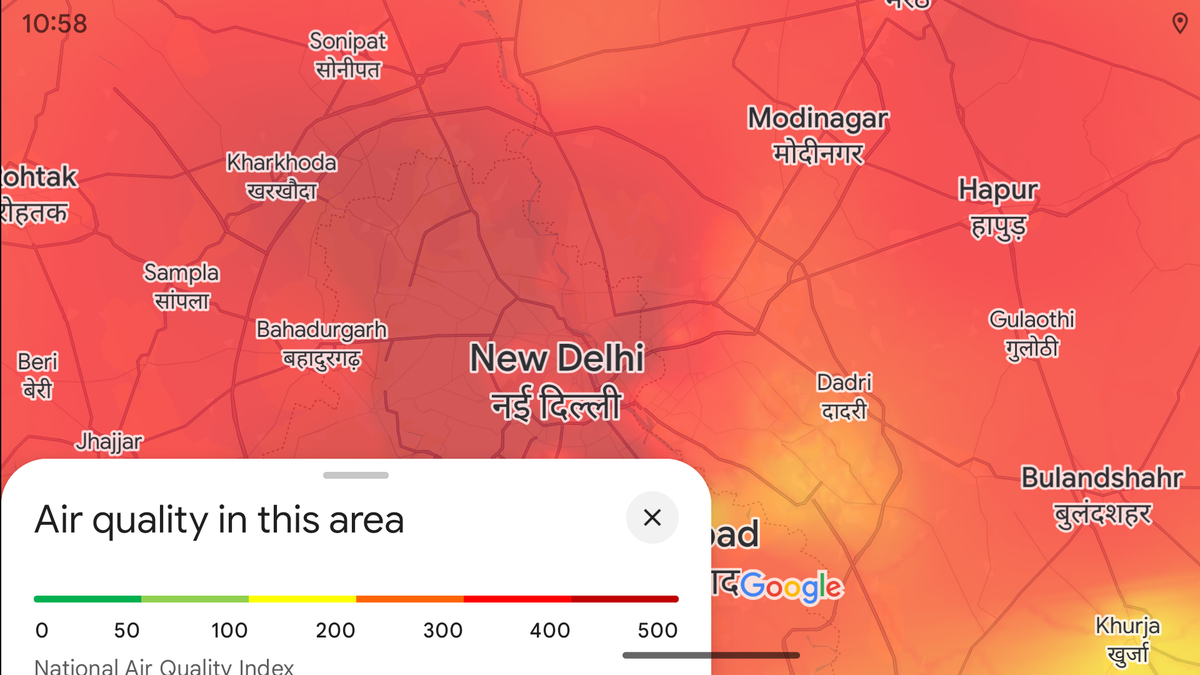
Checking the Air Quality Index (AQI) for your area can help you better plan your day to prioritise your health
| Photo Credit: Google Maps
Air pollution levels are rising across North India this winter, making daily life painful for commuters while the climate puts children, elders, and those with pulmonary conditions in active danger.
As many try to plan their schedule around the smog and pollution levels in their locality, Google has rolled out a new AQI (Air Quality Index) mapping tool that lets users see how severe air pollution levels are in their area and view any warnings they might need before venturing outside.
Here is how to use the feature.
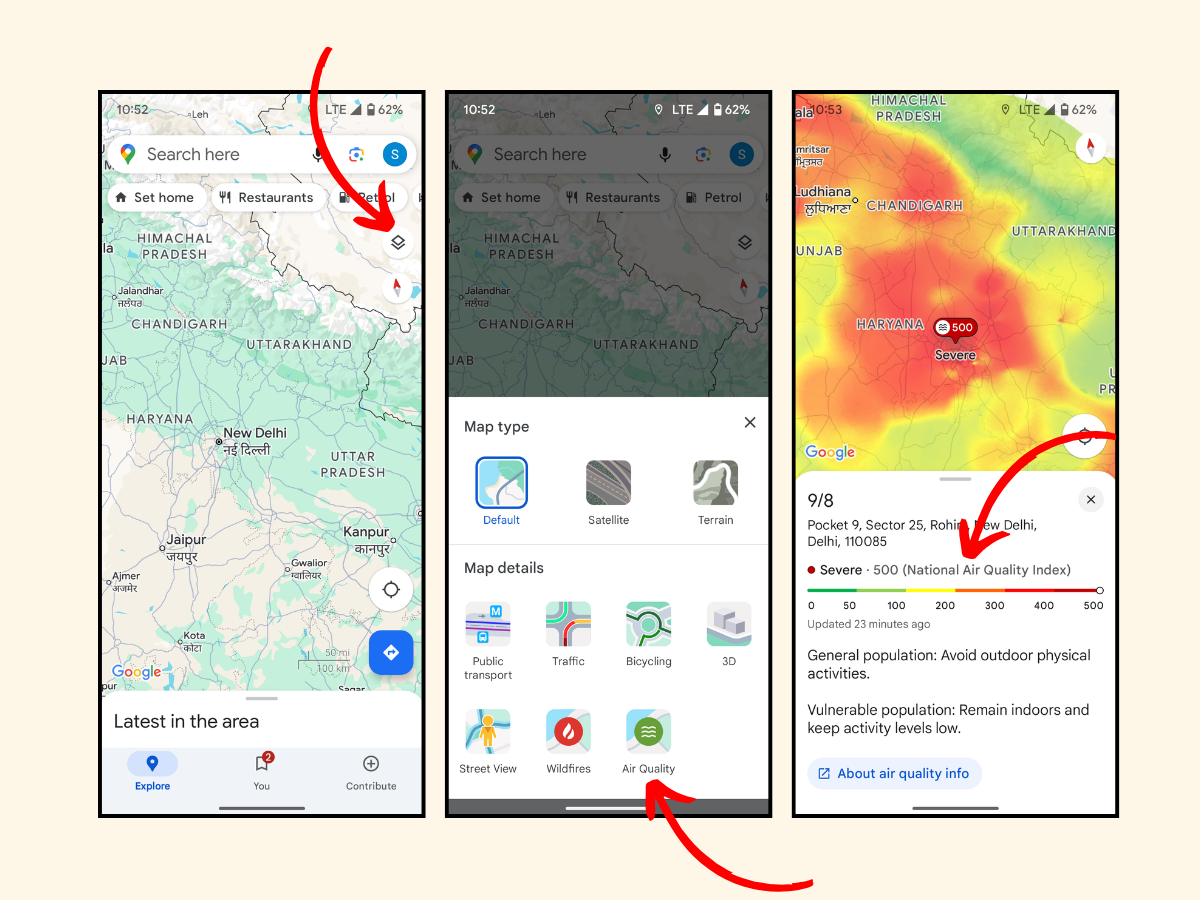
A visual guide to check the AQI for your area with Google Maps
| Photo Credit:
Google Maps
How to check your local AQI with Google Maps
Open Google Maps on your device
Navigate to your current location, or the location for which you wish to see the AQI
Tap on the symbol near the top right that looks like stacked papers
You will see a pop-up menu with map filters and viewing options. Choose ‘Air Quality’
The map will become colour-coded and and an air quality index guide will appear
You can zoom into more specific locations for exact readings and safety measures to follow
Published – November 15, 2024 11:34 am IST









+ There are no comments
Add yours